If you’ve ever used Arch Linux, you already know about the Arch User Repository (AUR).
It’s one of the main reasons Arch has such a strong community: a collection of build scripts that let you install almost anything with pacman.
But what if you’ve written your own tool, or found software not yet in the AUR?
In this guide, I’ll show you step by step how to create a PKGBUILD, test it properly, and upload it to the AUR.
📦 What is the AUR?#
The AUR is a community-maintained collection of build recipes.
Each package is defined by a file called a PKGBUILD, which is essentially a Bash script that tells Arch how to build, install, and manage software.
When you install a package from the AUR using helpers like yay or paru:
- The PKGBUILD is downloaded.
- The package is compiled locally on your machine.
- It’s installed with
pacmanas if it came from the official repositories.
✅ Step 1: Prerequisites#
Before you start, make sure you have:
An AUR account. You’ll need SSH keys to be configured with the AUR (you’ll need this to push code). You can see the wiki for the SSH Authentication
Installed base tools:
sudo pacman -S --needed base-devel git📝 Step 2: Writing a PKGBUILD#
You can find templates for PKGBUILD in /usr/share/pacman/ which is a good to start with.
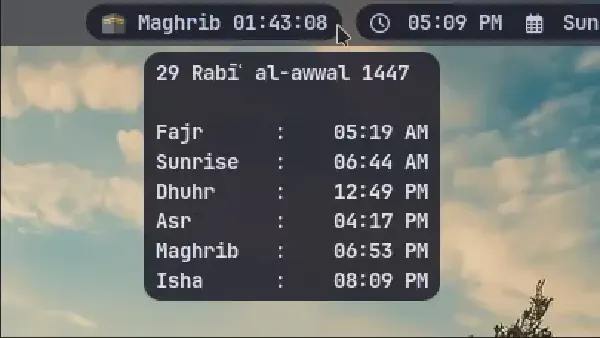
This is a practical example of PKGBUILD of my previous project Islamic prayer timings
# Maintainer: Abdalrahman Shaban <abdalrahmanshaban52@gmail.com>
pkgname=islamic-prayer-timings
pkgver=1.1.1
pkgrel=1
pkgdesc="Utility and daemon to get Islamic prayer timings using aladhan.com API"
arch=('x86_64')
url="https://github.com/abdalrahmanshaban0/islamic-prayer-timings"
license=('GPL-3.0-or-later')
depends=('curl' 'libnotify')
makedepends=('git' 'cmake' 'nlohmann-json')
provides=("$pkgname")
conflicts=('islamic-prayer-timings-git')
source=("git+$url.git#tag=v$pkgver")
sha256sums=('SKIP')

build() {
  cmake -S "$srcdir/$pkgname" -B build -DCMAKE_BUILD_TYPE=Release
  cmake --build build
}

package() {
  install -Dm755 build/islamic-prayer-timings "$pkgdir/usr/bin/islamic-prayer-timings"
}
Explanation of important fields:#
pkgname → the name of your package.
Normal release package
pkgname=islamic-prayer-timings- This corresponds to official tagged releases (e.g.,
v1.1.1). - Users who want a stable version will install this one.
Git package (
-git)pkgname=islamic-prayer-timings-git- This is a VCS package that always builds from the latest commit in your GitHub repo of the project.
pkgver()is usually auto-generated withgit describe --tagsorgit rev-parse --short HEAD.- Users who want bleeding-edge development versions will install this one.
Binary package (
-bin)pkgname=islamic-prayer-timings-bin- Instead of building from source, this downloads your prebuilt binary release from GitHub (
.tar.gz,.AppImage, etc.). - Saves compilation time, but depends on you providing binaries in your releases.
- Useful for users who just want to install quickly.
pkgver → the upstream version (e.g., 1.0.1).
pkgrel → increment if you change the PKGBUILD without a new upstream release.
pkgdesc → a short description of your package (keep it short, under ~80 characters).
arch → the supported system architectures.
- Most common:
('x86_64'). - For cross-platform builds, you may include others like
('aarch64' 'armv7h').
- Most common:
url → the project’s homepage or repository URL.
license → license under which the software is distributed.
- Use valid SPDX identifiers, e.g.,
('GPL-3.0-or-later').
- Use valid SPDX identifiers, e.g.,
depends → runtime dependencies required for the program to work.
makedepends → build-time dependencies required only during compilation.
provides → what this package provides (useful if multiple packages share the same binary).
conflicts → packages that cannot be installed alongside this one.
source → where to fetch the source code (What branch or version).
sha256sums → security check for sources (use
updpkgsumsto update).build() → function describing how to build the software.
- Typically runs
cmake,make, or similar commands.
- Typically runs
package() → function that installs the built files into
$pkgdir, which mimics the system root.- This is how files get placed in
/usr/bin,/usr/share, etc.
- This is how files get placed in
To know more any time about PKGBUILD you can uses
man PKGBUILD🔨 Step 3: Testing Your Package#
Test your PKGBUILD locally:
makepkg -si
This will:
- Download the sources.
- Build the software.
- Install it on your system.
For more robust testing, build in a clean chroot (recommended for AUR submission):
sudo pacman -S devtools

extra-x86_64-build
This ensures your package builds on a clean Arch environment, just like it will for other users.
📄 Step 4: Generating .SRCINFO#
The AUR requires a .SRCINFO file, which describes your package in a machine-readable format. Generate it with:
makepkg --printsrcinfo > .SRCINFO`Both PKGBUILD and .SRCINFO must be committed to your Git repository.j
🚀 Step 5: Uploading to the AUR#
Clone your package repository from the AUR (replace with your package name):
git clone ssh://aur@aur.archlinux.org/myproject.git
cd myproject
Copy your
PKGBUILDand.SRCINFOinto this folder.Commit and push your changes:
git add PKGBUILD .SRCINFO
git commit -m "Initial commit"
git push
🎉 Done! Your package is now live on the AUR.
📌 Step 6: Versioning Best Practices#
- New upstream release? Update
pkgver, resetpkgrel=1. - Changed PKGBUILD only? Increment
pkgrel. - Development (“-git”) packages? Use
pkgname=myproject-gitand write apkgver()function that generates version numbers from Git commits or tags.
⚠️ Step 7: Common Pitfalls#
Forgetting
.SRCINFO→ AUR won’t show your update.Wrong license identifiers → use official SPDX IDs
Adding unnecessary dependencies → only include what’s actually needed.
Not testing in a chroot → package may break for other users.
🎯 Final Thoughts#
Publishing your software on the AUR is one of the best ways to give back to the Arch community. Once you go through the process once or twice, it becomes straightforward.
Remember:
Keep your PKGBUILD clean.
Follow Arch packaging standards.
Test before uploading.
By doing this, you ensure your package is reliable and useful for thousands of Arch users worldwide.
See also: